
Total control of every project you're running
Eliminate the fear that you're forgetting something important. Lonoc keeps just enough detail on every engagement to keep you covered — light enough that it never feels like admin, thorough enough that nothing important gets missed. You're not managing one project. You're running a portfolio. It's time your tools knew the difference.
The worst part isn't forgetting. It's not knowing you forgot
The multi-project load adds up
When engagements stack up, reconstructing where everything stands each morning costs real time, and quiet work is easy to neglect.
The portfolio only lived in your head
Spread across docs, boards, and inboxes, there was no single place to see stage, status, and the next actions across everything you run.
Keeping up with AI
AI has driven increased productivity and multitasking, which introduces new challenges of keeping up with all your projects.
More parallel work, same old tools
Faster output means more live threads to track. Lonoc is built for that pace — a complete picture of active work as the starting point, not something you rebuild by hand.
Projects at different stages require different attention
Discovery, active delivery, and long-tail dormant work do not deserve the same posture. Flat lists hide what kind of focus each engagement needs right now.
Discovery
Early conversations during project initiation
Build context, qualify the opportunity, and keep momentum before commitments get expensive.
Delivery
Active execution against committed scope
Ensuring the client sees exactly what was promised, on time. This is where reputations are made or lost.
Dormant
Long-tail follow-up and continuity
Complete or paused work worth preserving for fast reactivation picking up where you left off.
What Lonoc gives you
Portfolio executive view
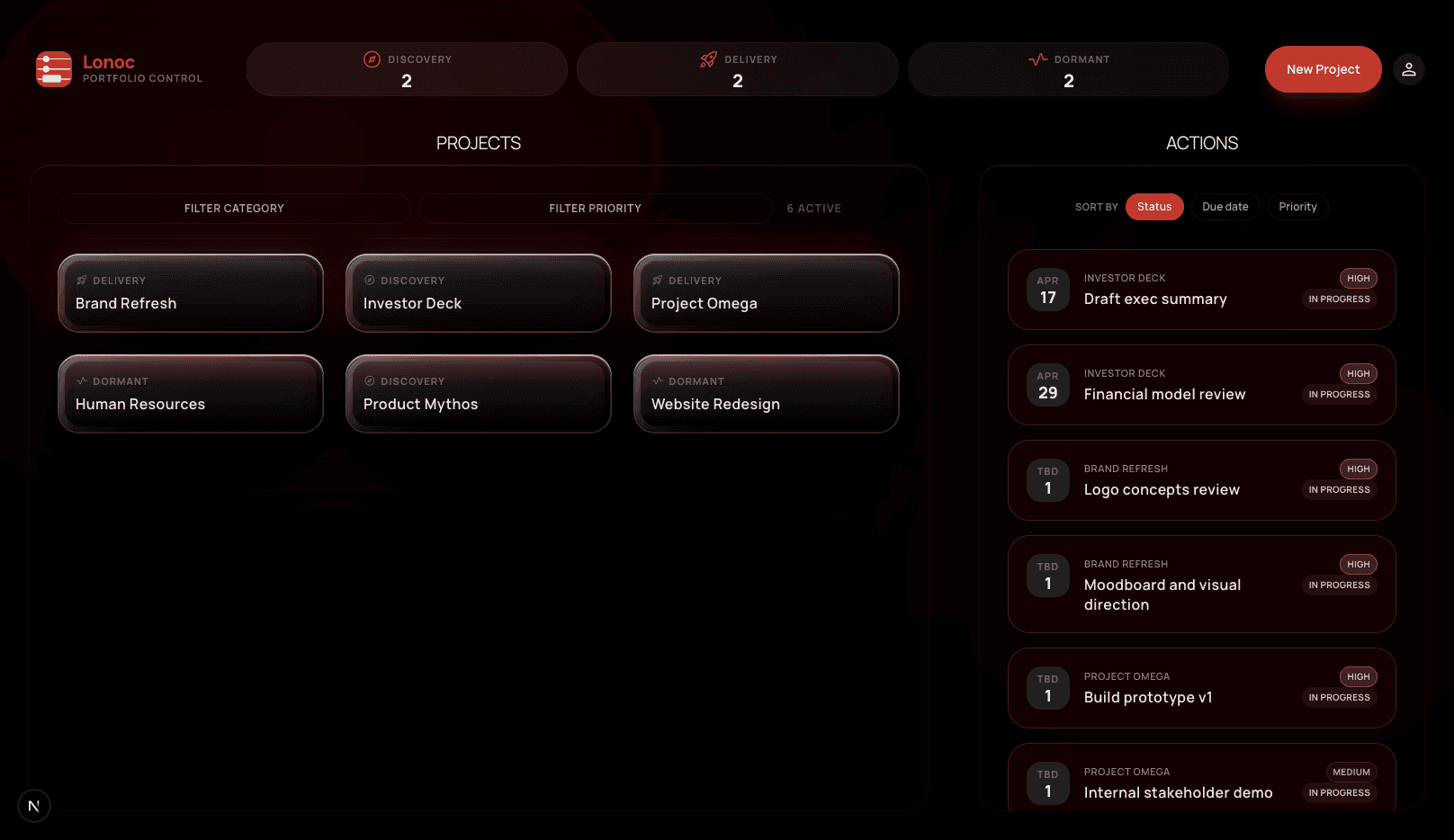
See every active engagement at once — stage, status, and risk of stalling. The cross-project action queue surfaces the next right steps before you open a single project.
Depth where you execute
Structured context, a kanban-style action board, milestones, and a project dashboard — so you can re-establish full context in under a minute after time away.
Easy collaboration
Invite collaborators by email with clear owner and editor roles — shared execution without enterprise theatre.
Low admin overhead
Stages, milestones, and actions are the minimum frame to keep work moving. Keeping Lonoc current should take less time than not having the visibility.
Why Lonoc is different
- category
Stage-native, not list-native
Stages are the primary lens — Discovery, Delivery, and Dormant reflect the posture each engagement needs, not cosmetic tags.
- hub
Portfolio and project in one product
The cross-project queue is first-class. Zoom from the whole portfolio to ground-level detail in one click, not a tool change.
- link
Context stays next to the work
Narrative, milestones, and stakeholder context live beside actions — critical for handoffs and coming back after a week away.
- groups
Built for real teams
Invite-by-email and meaningful owner vs. editor roles — no IT admin or procurement story required.
Common questions
Stages encode posture. You see whether an engagement needs momentum and qualification, execution and oversight, or light-touch preservation — and Lonoc filters and surfaces work accordingly.
View the complete picture of your portfolio
Start for free to open your workspace.